JSON vs. YAML: Which is Better for Your Configuration Files?

jsonyamlconfigurationdevopscomparison
Kavishka Gimhan
9 min read
JSON vs. YAML: Which is Better for Your Configuration Files?

Advertisement

I spent way too long deciding between JSON and YAML for a project last year. The team was split. Half wanted JSON because "it's what we know." The other half wanted YAML because "it's more readable." We spent an entire meeting arguing about it.

Finally, I said, "Let's just pick one and move on." We went with YAML. Three months later, we switched to JSON because the tooling was better. Then we switched back to YAML because someone complained about JSON's lack of comments.

It was a mess. And it was entirely avoidable.

The truth is, both JSON and YAML are great for configuration files. The choice depends on your specific needs, your team's preferences, and what tools you're using. After working with both extensively, I've learned that there's no universal "better" choice—only the right choice for your situation.

Let me break down the real differences, when each format shines, and how to make the right decision for your project.

What Are JSON and YAML, Really?

Before we dive into the comparison, let's make sure we understand what we're working with.

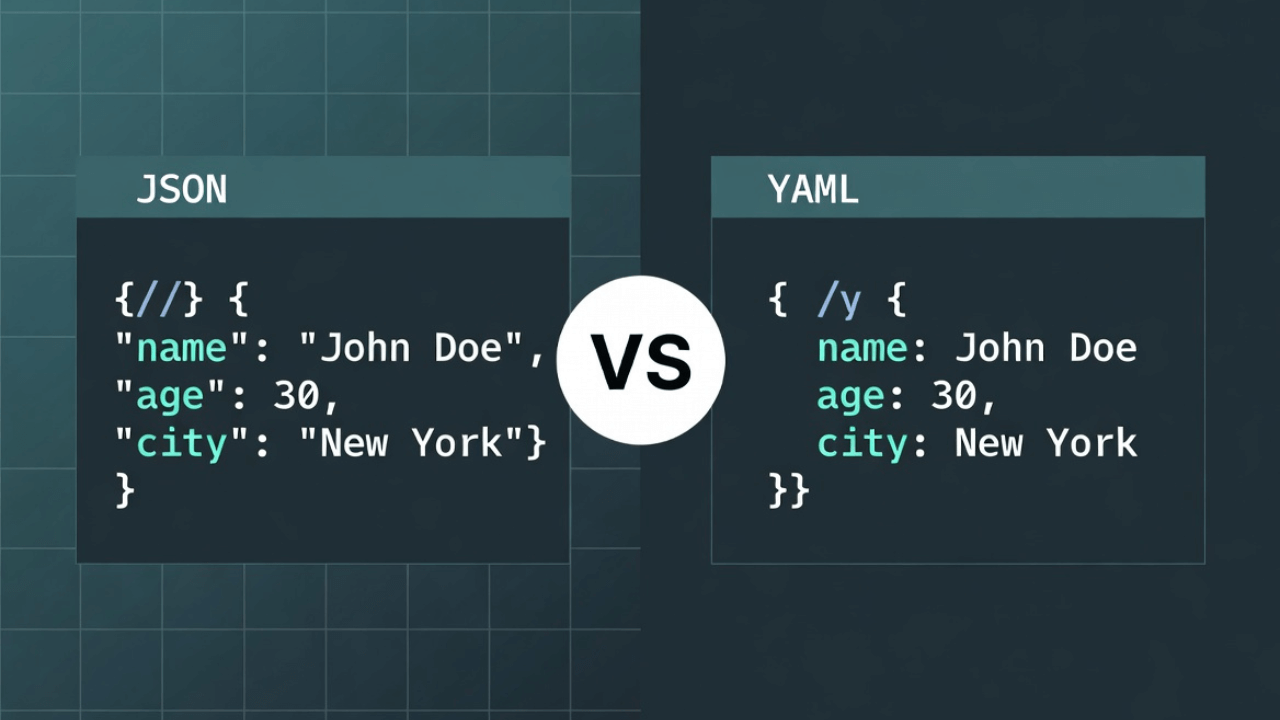
JSON (JavaScript Object Notation) is a data format that's become the standard for web APIs and configuration. It looks like this:

{
  "database": {
    "host": "localhost",
    "port": 5432,
    "name": "myapp",
    "credentials": {
      "username": "admin",
      "password": "secret123"
    }
  },
  "features": {
    "cache": true,
    "logging": true
  }
}

YAML (YAML Ain't Markup Language) is a human-readable data serialization standard. It looks like this:

database:
  host: localhost
  port: 5432
  name: myapp
  credentials:
    username: admin
    password: secret123

features:
  cache: true
  logging: true

Same data, different syntax. JSON uses braces and brackets. YAML uses indentation. That difference matters more than you might think.

The Key Differences for Configuration Files

Let's get into what actually matters when you're choosing a config format.

1. Readability

YAML is generally more readable. No quotes around keys, less punctuation, cleaner structure. It reads almost like a document.

JSON is more compact but can be harder to read, especially with nested structures. All those braces and brackets add visual clutter.

Winner: YAML for human readability, JSON for compactness.

2. Comments

YAML supports comments with #. This is huge for configuration files where you want to explain why something is set a certain way.

database:
  host: localhost  # Use production DB in prod
  port: 5432

JSON doesn't support comments. At all. This is a major limitation for config files.

Winner: YAML. Comments in config files are essential.

3. Syntax Strictness

JSON is very strict. One missing comma, one extra bracket, and the entire file is invalid. This can be frustrating when editing by hand.

YAML is more forgiving. The indentation-based syntax is more natural for humans, though it can be tricky if you mix tabs and spaces.

Winner: YAML for ease of editing, JSON for strict validation.

4. Data Types

JSON has built-in types: strings, numbers, booleans, null, arrays, objects. That's it.

YAML supports more types: strings, numbers, booleans, null, arrays, objects, dates, timestamps, and more. It's more flexible.

Winner: YAML for flexibility, JSON for simplicity.

5. Multi-line Strings

YAML handles multi-line strings elegantly:

description: |
  This is a long description
  that spans multiple lines
  and preserves line breaks

JSON requires escape sequences or concatenation:

{
  "description": "This is a long description\nthat spans multiple lines\nand requires escape sequences"
}

Winner: YAML. Multi-line strings are common in config files.

6. Parsing Performance

JSON is faster to parse. It's simpler, and parsers are highly optimized.

YAML is slower to parse. More complex syntax means more work for the parser.

Winner: JSON. The difference matters for large config files or frequent parsing.

7. Language Support

JSON has native support in JavaScript, and excellent support in virtually every language.

YAML has good support in most languages, but it's not native anywhere. You always need a library.

Winner: JSON for native support, YAML for library availability (both are well-supported).

8. Tooling and Ecosystem

JSON has better tooling. Most IDEs have built-in JSON support, validation, and formatting.

YAML has good tooling, but it's not as universal. Some editors struggle with YAML's indentation.

Winner: JSON for tooling, though YAML tooling has improved significantly.

When to Use JSON for Configuration

JSON makes sense when:

JavaScript/TypeScript Projects

If you're working in Node.js, React, or any JavaScript environment, JSON is the natural choice. Native support means no dependencies.

Example: A Next.js app with a next.config.json file. It's JSON because that's what the framework expects.

API Configuration

For API configs, JSON is often preferred because APIs typically work with JSON anyway.

Example: API gateway configuration, service mesh configs, or API client settings.

When You Need Strict Validation

JSON's strict syntax means errors are caught early. If you want to ensure config files are always valid, JSON's unforgiving nature helps.

Example: CI/CD pipeline configs where invalid syntax should fail fast.

When Performance Matters

If you're parsing config files frequently or they're very large, JSON's faster parsing can matter.

Example: A service that reloads config on every request, or a config file with thousands of entries.

When Tooling is Critical

If your team relies heavily on IDE features, JSON's universal tooling support can be a deciding factor.

Example: A large team where consistent tooling support reduces onboarding time.

When to Use YAML for Configuration

YAML makes sense when:

DevOps and Infrastructure

YAML is the standard for many DevOps tools. Kubernetes, Docker Compose, Ansible, and others use YAML.

Example: A docker-compose.yml file or Kubernetes manifests. These tools expect YAML.

Human-Edited Configuration

If humans are editing config files regularly, YAML's readability and comments make it superior.

Example: Application settings that developers or ops teams modify frequently.

Complex Nested Structures

For deeply nested configs, YAML's indentation-based structure is easier to read and edit.

Example: A configuration with multiple environments, each with nested settings for databases, caches, queues, etc.

Documentation in Config

If you need to document why settings are configured a certain way, YAML's comment support is essential.

Example: A config file where each setting needs explanation for future maintainers.

Multi-line Content

If your config includes multi-line strings (like SQL queries, scripts, or documentation), YAML handles this much better.

Example: A config file that includes SQL migration scripts or email templates.

Side-by-Side Comparison

Let's look at the same configuration in both formats:

The Config: Database settings, feature flags, and API endpoints.

JSON:

{
  "database": {
    "host": "localhost",
    "port": 5432,
    "pool": {
      "min": 2,
      "max": 10
    }
  },
  "features": {
    "cache": true,
    "analytics": false
  },
  "endpoints": [
    "https://api.example.com/v1",
    "https://api.example.com/v2"
  ]
}

YAML:

database:
  host: localhost
  port: 5432
  pool:
    min: 2
    max: 10

features:
  cache: true
  analytics: false

endpoints:
  - https://api.example.com/v1
  - https://api.example.com/v2

Notice:

  • YAML is more readable (no quotes, less punctuation)
  • JSON is more compact (fewer lines)
  • YAML uses indentation; JSON uses braces
  • Both represent the same structure

Now let's add comments:

YAML (with comments):

database:
  host: localhost  # Change to prod DB in production
  port: 5432
  pool:
    min: 2  # Minimum connections
    max: 10  # Maximum connections

features:
  cache: true  # Enable Redis caching
  analytics: false  # Disabled until analytics service is ready

JSON (no comments possible):

{
  "database": {
    "host": "localhost",
    "port": 5432,
    "pool": {
      "min": 2,
      "max": 10
    }
  },
  "features": {
    "cache": true,
    "analytics": false
  }
}

The YAML version is self-documenting. The JSON version requires separate documentation.

Real-World Scenarios

Let me share some real situations where the choice mattered:

Scenario 1: Next.js Application

The Project: A Next.js web application with configuration for API routes, environment variables, and build settings.

The Choice: JSON. Next.js uses next.config.js (JavaScript) or next.config.json (JSON). The framework expects JSON, and the JavaScript ecosystem works seamlessly with it.

Why It Worked: Native support, no parsing overhead, and the team was already familiar with JSON.

Scenario 2: Kubernetes Deployment

The Project: Deploying a microservice to Kubernetes with config maps, secrets, and deployment manifests.

The Choice: YAML. Kubernetes uses YAML for all its configuration. There's no choice here—it's YAML or nothing.

Why It Worked: YAML's readability made complex Kubernetes configs manageable, and comments helped document why certain settings were chosen.

Scenario 3: Docker Compose Setup

The Project: A development environment with multiple services, databases, and message queues.

The Choice: YAML. Docker Compose uses docker-compose.yml. Again, the tool dictates the format.

Why It Worked: YAML's multi-line string support was perfect for environment variables and command configurations. Comments helped explain service dependencies.

Scenario 4: API Client Configuration

The Project: Configuration for an API client library used across multiple projects.

The Choice: JSON. The library was JavaScript-based, and JSON was the natural fit.

Why It Worked: No parsing dependencies, native JavaScript support, and the config was simple enough that comments weren't critical.

Scenario 5: Ansible Playbooks

The Project: Infrastructure automation with Ansible playbooks and inventory files.

The Choice: YAML. Ansible uses YAML exclusively. The tool requires it.

Why It Worked: YAML's readability made complex playbooks understandable, and comments were essential for documenting the automation logic.

Converting Between JSON and YAML

Sometimes you need to work with both. Here's how to convert:

JSON to YAML

You can use our YAML Formatter for quick conversions. It handles nested objects, arrays, and preserves the data structure.

For programmatic conversion, most YAML libraries can parse JSON (since JSON is technically valid YAML), and can output YAML from JSON data.

YAML to JSON

Converting YAML to JSON is straightforward. Most YAML parsers can output JSON, and our YAML Formatter can convert YAML to JSON.

Note: Some YAML features (like comments, anchors, and certain data types) don't have JSON equivalents and will be lost in conversion.

The Verdict: When to Choose What

Here's my practical guide:

Choose JSON if:

  • You're working in JavaScript/TypeScript
  • The tool or framework expects JSON
  • You need strict validation and fast parsing
  • The config is simple and doesn't need comments
  • Your team is more familiar with JSON
  • Tooling support is critical

Choose YAML if:

  • You're working with DevOps tools (Kubernetes, Docker Compose, Ansible)
  • Humans will edit the config frequently
  • You need comments to document settings
  • The config has complex nested structures
  • You need multi-line strings
  • Readability is more important than parsing speed

Best Practices for Configuration Files

Regardless of which format you choose, here are some best practices:

  1. Use a Schema: Validate your config files. JSON Schema for JSON, or a YAML schema validator. Catch errors before they cause problems.

  2. Version Control: Keep config files in version control, but never commit secrets. Use environment variables or secret management tools.

  3. Environment-Specific: Use separate config files for different environments (dev, staging, prod), or use environment variables to override settings.

  4. Documentation: If using YAML, use comments. If using JSON, maintain separate documentation or use a schema with descriptions.

  5. Validation: Validate config files in your CI/CD pipeline. Invalid configs should fail builds.

  6. Defaults: Provide sensible defaults. Config files should work out of the box with minimal changes.

Real-World Use Cases

Understanding when to use JSON vs YAML for configuration can save hours of frustration. Here are real-world scenarios:

Cloud-Native Applications

Kubernetes, Docker Compose, and most cloud-native tools use YAML exclusively. If you're deploying to Kubernetes, you'll write YAML manifests for deployments, services, and config maps. The readability and comment support make complex infrastructure configurations manageable.

JavaScript/TypeScript Projects

Node.js applications typically use JSON for configuration (package.json, tsconfig.json, .eslintrc.json). The native JavaScript support and lack of parsing dependencies make JSON the natural choice for JavaScript ecosystems.

CI/CD Pipelines

GitHub Actions, GitLab CI, CircleCI, and most CI/CD platforms use YAML for pipeline configuration. The ability to add comments explaining why certain steps exist is invaluable for team collaboration and maintenance.

Microservices Configuration

In microservice architectures, you might use both: JSON for service-to-service communication (API payloads) and YAML for deployment configurations. Learn more about JSON payloads in APIs for service communication.

For more on JSON basics, see our complete JSON guide and JSON vs XML comparison.

Common Mistakes When Choosing Configuration Formats

Here are pitfalls developers encounter:

1. Mixing Tabs and Spaces in YAML

YAML is indentation-sensitive. Mixing tabs and spaces breaks everything. Configure your editor to use consistent indentation (usually 2 spaces) and stick with it.

2. Forgetting JSON Doesn't Support Comments

Developers often try to add comments to JSON files, breaking the syntax. If you need comments, use YAML or JSON5 (a JSON superset that supports comments).

3. Not Validating Configuration Files

Invalid configuration files cause runtime errors. Always validate your config files before deployment. Use JSON validation tools for JSON and YAML linters for YAML.

4. Overcomplicating Simple Configurations

For simple configs with 5-10 settings, JSON is often sufficient. Don't use YAML just because it's "better"—use it when you need its features (comments, multi-line strings, readability).

5. Not Using Schema Validation

Both JSON and YAML benefit from schema validation. Use JSON Schema for JSON configs to catch errors before they reach production.

For more on avoiding JSON issues, read our guide on common JSON errors.

Best Practices for Configuration Files

Regardless of format, follow these practices:

1. Version Control Everything: Keep configuration files in version control, but never commit secrets. Use environment variables or secret management tools like HashiCorp Vault.

2. Use Environment-Specific Files: Maintain separate configs for development, staging, and production. Override with environment variables for sensitive data.

3. Document Your Choices: Add comments (in YAML) or maintain separate documentation (for JSON) explaining why certain settings exist.

4. Validate in CI/CD: Add validation steps to your pipeline. Invalid configs should fail builds before reaching production.

5. Keep It DRY: Use YAML anchors or JSON references to avoid repetition. Don't duplicate configuration across files.

6. Format Consistently: Use formatters to maintain consistent style. For JSON, use our JSON Formatter to ensure readability.

For working with JSON in code, check our guides on parsing JSON in JavaScript and reading JSON in Python.

Frequently Asked Questions

Can I use both JSON and YAML in the same project?

Absolutely! Many projects use JSON for some configs and YAML for others. For example, use package.json for Node.js dependencies (required by npm) and docker-compose.yml for local development (required by Docker). Use each format where it makes sense.

How do I convert between JSON and YAML?

Use conversion tools or libraries. Most YAML parsers can read JSON (since JSON is valid YAML), and can output YAML from JSON data. Our YAML Formatter handles conversions in both directions. Be aware that some YAML features (comments, anchors) don't have JSON equivalents.

Which format is better for beginners?

JSON is generally easier for beginners. It has simpler syntax, fewer concepts to learn, and works natively in JavaScript. YAML's indentation-based syntax can be tricky for newcomers, especially when mixing tabs and spaces causes mysterious errors.

Can YAML do everything JSON can do?

Yes, and more. YAML is a superset of JSON (valid JSON is valid YAML), but adds features like comments, anchors, multi-line strings, and more data types. However, JSON's simplicity is sometimes an advantage—fewer features mean fewer ways to make mistakes.

Should I minify configuration files?

Generally, no. Configuration files are read infrequently (usually at startup), so parsing speed doesn't matter much. Keep them formatted for readability. However, if you're sending config over the network frequently, minifying JSON can reduce bandwidth.

External Resources

To deepen your understanding of configuration formats:

The Bottom Line

JSON and YAML are both excellent choices for configuration files. JSON is better when you need strict validation, fast parsing, and native language support. YAML is better when you need readability, comments, and human-friendly editing.

The choice often comes down to what your tools expect. If you're using Kubernetes, you're using YAML. If you're using Next.js, you're probably using JSON. If you have a choice, consider your team's needs: do you need comments? Is readability critical? Will humans edit this frequently?

In many cases, the tool you're using will make the decision for you. And that's fine. Both formats work well. The important thing is consistency—pick one format for your project and stick with it.

Want to convert between JSON and YAML? Check out our YAML Formatter. It handles both formats and makes working with either one painless. For JSON-specific tasks, use our JSON Formatter to validate and format your configuration files.

At the end of the day, the best config format is the one your team can work with efficiently. Sometimes that's JSON. Sometimes that's YAML. And sometimes, the tool you're using makes the decision for you. That's okay too. For more JSON resources, explore our guides on JSON formatting, working with nested JSON, and opening JSON files.

Advertisement

K

About Kavishka Gimhan

Passionate writer and content creator sharing valuable insights and practical advice. Follow for more quality content and updates.

Related Articles

You might also be interested in these articles