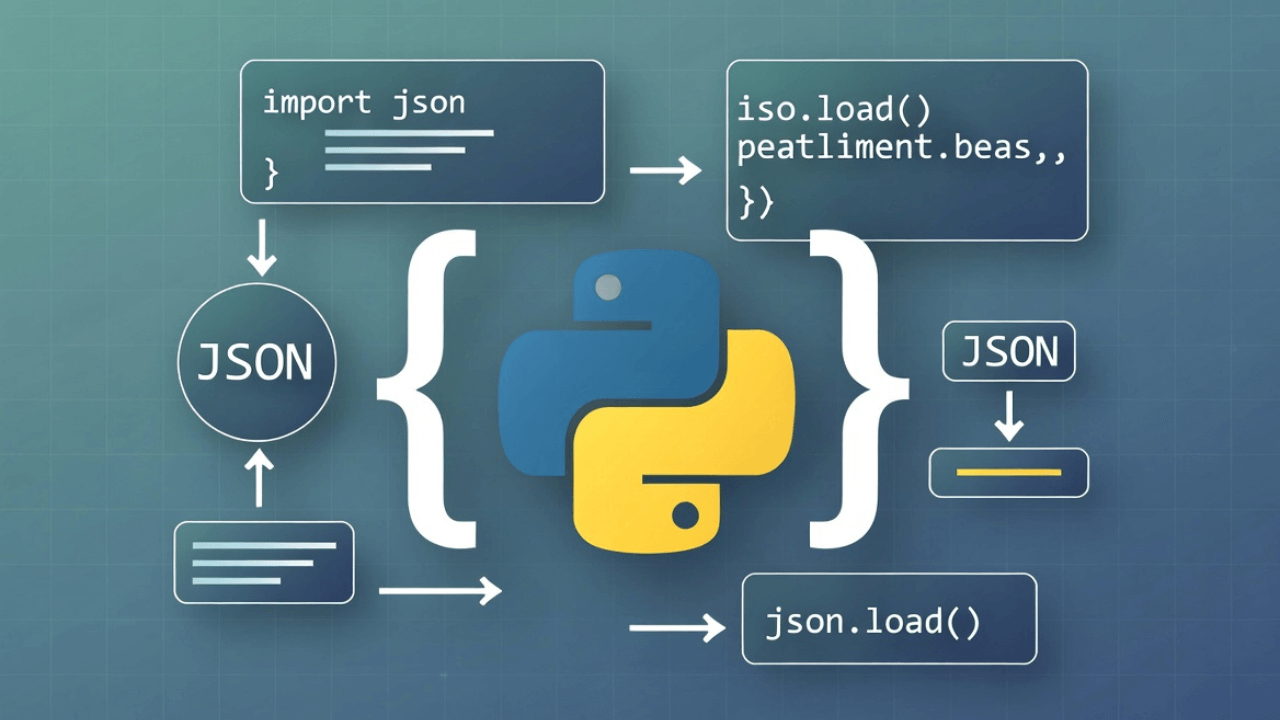
How to Read and Write JSON Files in Python (A Quick Guide)

jsonpythondata scienceprogrammingtutorial
Kavishka Gimhan
7 min read
How to Read and Write JSON Files in Python (A Quick Guide)

Advertisement

I'll be honest—when I first started working with JSON in Python, I was confused. I kept mixing up json.load() and json.loads(). I'd try to read a file and get errors. I'd try to write data and end up with a mess.

It took me way too long to figure out the difference between working with files and working with strings. Once I got it, everything clicked. Now I work with JSON files in Python almost daily, and it's become second nature.

Let me save you the confusion I went through. Here's everything you need to know about reading and writing JSON files in Python, explained clearly with real examples.

The Python json Module

Python has a built-in json module. You don't need to install anything—it's part of the standard library. Just import it:

import json

That's it. You're ready to work with JSON.

Reading JSON Files

There are two ways to read JSON in Python, and the difference matters:

json.load() - Reading from a File

Use json.load() when you want to read JSON from a file:

import json

# Open and read a JSON file
with open('data.json', 'r') as f:
    data = json.load(f)

print(data['name'])  # Access the data

The with statement automatically closes the file when you're done. Always use it—it's a best practice.

json.loads() - Reading from a String

Use json.loads() (note the 's' for 'string') when you have JSON as a string:

import json

json_string = '{"name": "John", "age": 30}'
data = json.loads(json_string)

print(data['name'])  # "John"

Remember: load() is for files, loads() is for strings. The 's' stands for 'string'.

Writing JSON Files

Similarly, there are two ways to write JSON:

json.dump() - Writing to a File

Use json.dump() to write JSON directly to a file:

import json

data = {
    "name": "John",
    "age": 30,
    "city": "New York"
}

# Write to a file
with open('output.json', 'w') as f:
    json.dump(data, f)

This creates a file called output.json with your data.

json.dumps() - Writing to a String

Use json.dumps() (again, 's' for 'string') to convert data to a JSON string:

import json

data = {"name": "John", "age": 30}
json_string = json.dumps(data)

print(json_string)  # '{"name": "John", "age": 30}'

Remember: dump() is for files, dumps() is for strings.

Pretty Printing JSON

By default, json.dump() and json.dumps() create compact JSON (all on one line). For readable output, use the indent parameter:

import json

data = {
    "name": "John",
    "age": 30,
    "address": {
        "street": "123 Main St",
        "city": "New York"
    }
}

# Pretty print to file
with open('pretty.json', 'w') as f:
    json.dump(data, f, indent=2)

# Pretty print to string
pretty_string = json.dumps(data, indent=2)
print(pretty_string)

The indent=2 parameter adds 2-space indentation, making the JSON readable.

Common Patterns

Let me show you some real-world patterns I use all the time:

Pattern 1: Reading Configuration Files

import json

def load_config(config_path='config.json'):
    try:
        with open(config_path, 'r') as f:
            return json.load(f)
    except FileNotFoundError:
        print(f"Config file {config_path} not found")
        return {}
    except json.JSONDecodeError as e:
        print(f"Invalid JSON in config file: {e}")
        return {}

# Usage
config = load_config()
database_url = config.get('database_url', 'localhost')

Pattern 2: Saving User Data

import json

def save_user_data(user_id, user_data):
    filename = f'users/{user_id}.json'
    
    with open(filename, 'w') as f:
        json.dump(user_data, f, indent=2)
    
    print(f"Saved user data to {filename}")

# Usage
user_data = {
    "name": "John",
    "email": "john@example.com",
    "preferences": {
        "theme": "dark",
        "notifications": True
    }
}

save_user_data(123, user_data)

Pattern 3: Reading API Responses

When working with APIs, you often get JSON strings that need parsing:

import json
import requests

response = requests.get('https://api.example.com/users/123')
data = json.loads(response.text)  # Parse the response string

# Or, if the response has json() method:
data = response.json()  # This does json.loads() for you

Pattern 4: Updating Existing JSON Files

import json

def update_json_file(filename, updates):
    # Read existing data
    try:
        with open(filename, 'r') as f:
            data = json.load(f)
    except FileNotFoundError:
        data = {}
    
    # Update with new data
    data.update(updates)
    
    # Write back
    with open(filename, 'w') as f:
        json.dump(data, f, indent=2)

# Usage
update_json_file('config.json', {
    'last_updated': '2025-01-17',
    'version': '2.0'
})

Error Handling

Always handle errors when working with JSON files. Here's a robust pattern:

import json

def safe_read_json(filename):
    try:
        with open(filename, 'r') as f:
            return json.load(f)
    except FileNotFoundError:
        print(f"File {filename} not found")
        return None
    except json.JSONDecodeError as e:
        print(f"Invalid JSON in {filename}: {e}")
        print(f"Error at line {e.lineno}, column {e.colno}")
        return None
    except Exception as e:
        print(f"Unexpected error: {e}")
        return None

# Usage
data = safe_read_json('data.json')
if data:
    print("Successfully loaded JSON")
else:
    print("Failed to load JSON")

Working with Nested Data

JSON often has nested structures. Here's how to work with them:

import json

# Reading nested data
with open('data.json', 'r') as f:
    data = json.load(f)

# Access nested values
user_name = data['user']['profile']['name']
user_email = data['user']['profile']['email']

# Or use .get() to avoid KeyError
user_name = data.get('user', {}).get('profile', {}).get('name', 'Unknown')

# Modifying nested data
data['user']['profile']['last_login'] = '2025-01-17'

# Save the updated data
with open('data.json', 'w') as f:
    json.dump(data, f, indent=2)

Advanced Options

The json module has several useful options:
Custom Encoders and Decoders

You can customize how objects are serialized:

import json
from datetime import datetime

class CustomEncoder(json.JSONEncoder):
    def default(self, obj):
        if isinstance(obj, datetime):
            return obj.isoformat()
        return super().default(obj)

data = {
    "name": "John",
    "created_at": datetime.now()
}

# Use custom encoder
json_string = json.dumps(data, cls=CustomEncoder)

Sorting Keys

Sort dictionary keys in the output:

data = {"zebra": 1, "apple": 2, "banana": 3}
json_string = json.dumps(data, sort_keys=True)
# Output: {"apple": 2, "banana": 3, "zebra": 1}

Ensuring ASCII

Force ASCII encoding (useful for compatibility):

data = {"name": "José", "city": "São Paulo"}
json_string = json.dumps(data, ensure_ascii=False)
# Preserves non-ASCII characters

Real-World Example: Data Processing Pipeline

Here's a complete example that reads JSON, processes it, and writes it back:

import json
from pathlib import Path

def process_user_data(input_file, output_file):
    # Read input
    with open(input_file, 'r') as f:
        users = json.load(f)
    
    # Process data
    processed_users = []
    for user in users:
        processed_user = {
            'id': user['id'],
            'full_name': f"{user['first_name']} {user['last_name']}",
            'email': user['email'],
            'active': user.get('status') == 'active'
        }
        processed_users.append(processed_user)
    
    # Write output
    output_path = Path(output_file)
    output_path.parent.mkdir(parents=True, exist_ok=True)
    
    with open(output_file, 'w') as f:
        json.dump(processed_users, f, indent=2)
    
    print(f"Processed {len(processed_users)} users")
    return processed_users

# Usage
process_user_data('users_raw.json', 'users_processed.json')

Best Practices

Here's what I've learned from working with JSON in Python:

1. Always Use Context Managers

# Good
with open('data.json', 'r') as f:
    data = json.load(f)

# Bad
f = open('data.json', 'r')
data = json.load(f)
f.close()  # Easy to forget

2. Handle Errors Gracefully

JSON parsing can fail. Always wrap it in try-except:

try:
    with open('data.json', 'r') as f:
        data = json.load(f)
except (FileNotFoundError, json.JSONDecodeError) as e:
    print(f"Error: {e}")
    data = {}  # Default value

3. Use Pretty Printing for Human-Readable Files

If humans will read the file, use indent=2:

json.dump(data, f, indent=2)  # Readable

If it's for machines only, skip it:

json.dump(data, f)  # Compact

4. Validate JSON Before Using

If you're not sure the JSON is valid, validate it:

def is_valid_json(filename):
    try:
        with open(filename, 'r') as f:
            json.load(f)
        return True
    except json.JSONDecodeError:
        return False

5. Use Pathlib for File Paths

Modern Python code uses pathlib:

from pathlib import Path

json_path = Path('data') / 'users.json'
with open(json_path, 'r') as f:
    data = json.load(f)

Common Mistakes to Avoid

I've made all of these. Learn from my mistakes:

Mistake 1: Mixing Up load() and loads()

# Wrong
json_string = '{"name": "John"}'
data = json.load(json_string)  # Error! load() expects a file

# Correct
data = json.loads(json_string)  # loads() for strings

Mistake 2: Forgetting to Close Files

# Wrong
f = open('data.json', 'r')
data = json.load(f)
# File is still open!

# Correct
with open('data.json', 'r') as f:
    data = json.load(f)
# File automatically closed

Mistake 3: Not Handling File Not Found

# Wrong
data = json.load(open('data.json', 'r'))  # Crashes if file doesn't exist

# Correct
try:
    with open('data.json', 'r') as f:
        data = json.load(f)
except FileNotFoundError:
    data = {}  # Handle missing file

Mistake 4: Writing Without Pretty Printing

# Hard to read
json.dump(data, f)

# Much better
json.dump(data, f, indent=2)

Real-World Use Cases

Understanding JSON in Python is essential for modern development. Here are practical scenarios:

Data Science and Machine Learning

Data scientists frequently work with JSON for dataset storage, API responses from services like Kaggle or Hugging Face, and configuration files for ML models. Loading training data, hyperparameters, and model architectures often involves reading JSON files.

Web APIs and Microservices

Flask, Django, and FastAPI applications constantly parse JSON request bodies and generate JSON responses. Understanding JSON handling is crucial for building RESTful APIs. Learn more about JSON payloads in APIs.

Configuration Management

Python applications use JSON for configuration files—database credentials, API keys, feature flags, and environment-specific settings. Reading and writing these files safely prevents configuration errors in production.

Data ETL Pipelines

Extract, Transform, Load (ETL) processes often involve reading JSON from APIs, transforming the data, and writing results to databases or files. For converting to other formats, see our JSON to CSV guide.

IoT and Embedded Systems

Raspberry Pi and IoT devices use Python to process JSON messages from sensors, send data to cloud services, and store telemetry locally.

For understanding JSON basics, check our beginner's guide to JSON and working with nested JSON.

Common Mistakes to Avoid

Here are Python-specific JSON pitfalls:

1. Confusing load() with loads()

The most common mistake. Use load() for file objects, loads() for strings. The 's' in loads() means "string." Mixing them up causes AttributeError or TypeError.

2. Not Closing Files

Always use with statements. They automatically close files even if exceptions occur. Manual file handling (f.close()) is error-prone and can leak file descriptors.

3. Ignoring Encoding Issues

When reading JSON from external sources, specify encoding: open('file.json', 'r', encoding='utf-8'). Non-UTF-8 files can cause UnicodeDecodeError.

4. Not Validating JSON Structure

After loading JSON, validate it contains expected keys and types before accessing nested data. Use dictionaries' .get() method with defaults to safely access properties.

5. Storing Python Objects Directly

JSON only supports basic types (dict, list, str, int, float, bool, None). Python objects like datetime, Decimal, or custom classes need custom serialization. Use the default parameter in json.dumps().

For more on avoiding JSON errors, see our guides on common JSON errors, fixing invalid JSON, and JSON validation.

Best Practices for JSON in Python

Follow these practices for robust JSON handling:

1. Always Use Context Managers (with): This ensures files are properly closed even if exceptions occur. Never use bare open() and close().

2. Handle Exceptions Explicitly: Catch FileNotFoundError, json.JSONDecodeError, and PermissionError separately. Provide meaningful error messages for debugging.

3. Use indent for Pretty Printing: Always use indent=2 or indent=4 when writing JSON for humans. It makes debugging and manual editing much easier.

4. Validate JSON Schema: For complex JSON structures, use the jsonschema library to validate data against schemas. Learn about JSON Schema.

5. Use Type Hints: Add type hints to functions that work with JSON: def load_config(path: str) -> dict[str, Any]. This improves code readability and catches errors with mypy.

6. Don't Store Secrets in JSON: Use environment variables or secret management tools (like python-dotenv or AWS Secrets Manager) for sensitive data. Never commit JSON files with secrets to version control.

For working with JSON in other languages, see our JavaScript JSON parsing guide.

Frequently Asked Questions

How do I handle dates in JSON with Python?

JSON doesn't have a native date type. Store dates as ISO 8601 strings: "2025-01-17T10:30:00Z". When loading, parse them with datetime.fromisoformat(). For custom serialization, use a custom JSONEncoder class.

Can I read very large JSON files in Python?

For files over 1GB, json.load() loads everything into memory, which can be slow or crash. Use streaming parsers like ijson for large files. It reads JSON incrementally without loading everything at once.

What's the difference between json.dump() and json.dumps()?

json.dump() writes directly to a file object. json.dumps() returns a JSON string that you can manipulate or write yourself. Use dump() for files, dumps() when you need the string for other purposes (logging, debugging, etc.).

How do I preserve order of keys in JSON?

In Python 3.7+, dictionaries maintain insertion order by default, so JSON keys preserve order automatically. For older Python versions, use collections.OrderedDict.

How do I handle invalid JSON in Python?

Wrap json.load() or json.loads() in try-except to catch json.JSONDecodeError. The exception message tells you exactly what's wrong and where (line and column number).

External Resources

To master JSON in Python:

The Bottom Line

Reading and writing JSON files in Python is straightforward once you understand the basics:

  • Use json.load() to read from files
  • Use json.loads() to read from strings
  • Use json.dump() to write to files
  • Use json.dumps() to write to strings
  • Always use with statements for file handling
  • Always handle errors
  • Use indent=2 for human-readable output

The json module is powerful and easy to use. Master these patterns, and you'll be working with JSON files like a pro.

Want to test your JSON before using it in Python? Use our JSON Formatter to validate and format your JSON files. It'll help you catch errors before they cause problems in your Python code. For comparing JSON files, try our JSON Diff Checker.

JSON files are everywhere in Python development—configuration files, data storage, API responses. Once you're comfortable with these basics, you'll find yourself using them constantly. For more JSON resources, explore our guides on JSON formatting, opening JSON files, and minifying JSON.

Advertisement

K

About Kavishka Gimhan

Passionate writer and content creator sharing valuable insights and practical advice. Follow for more quality content and updates.

Related Articles

You might also be interested in these articles