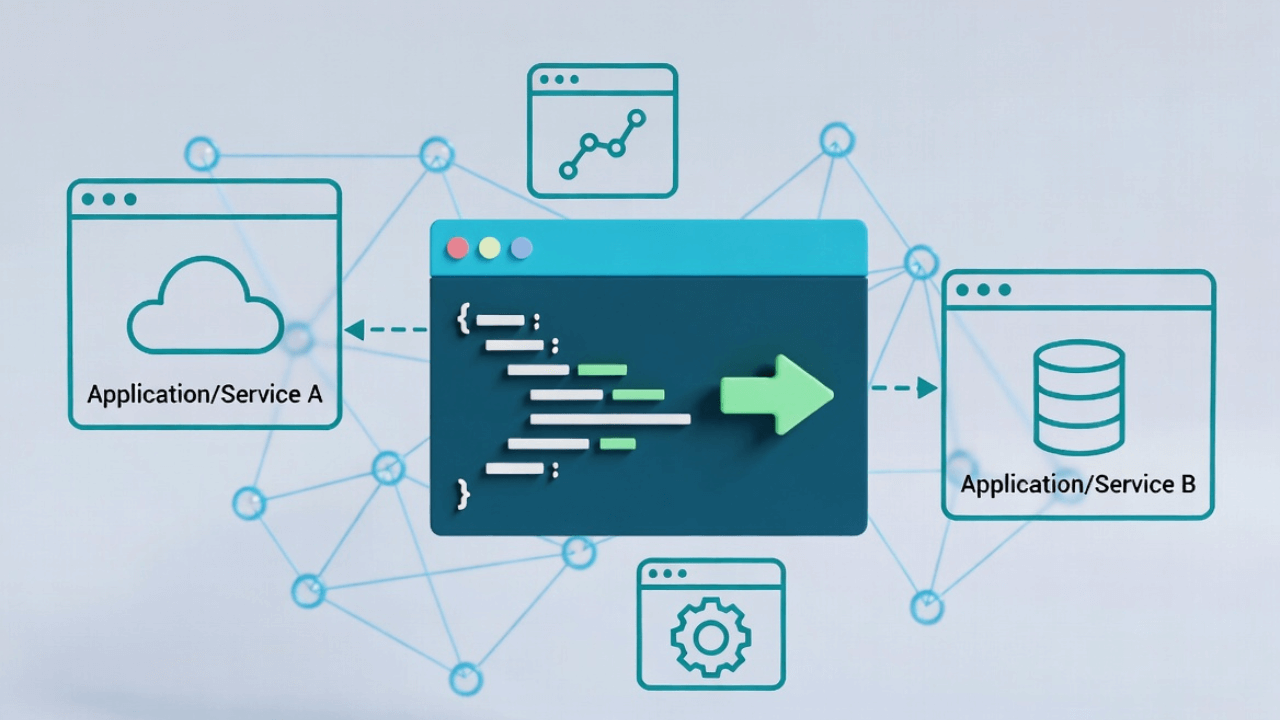
What is a JSON Payload? A Simple Guide for API Beginners

Advertisement
I was working on my first API integration, and I kept hearing the term "payload." "Send the payload in the request body." "The response contains a JSON payload." I nodded along, but honestly? I had no idea what a payload actually was.
I thought it was some technical term I'd never understand. Turns out, it's actually pretty simple. A payload is just the data you're sending or receiving. That's it. The fancy name makes it sound complicated, but it's really just the JSON data traveling between applications.
Let me break down what a JSON payload is, how it works, and why it matters when you're working with APIs.
What is a Payload?
Think of a payload like the contents of a package you're mailing. When you send a package, you have:
- The box (the HTTP request/response)
- The address label (the headers)
- The contents (the payload)
The payload is the actual data—the stuff that matters. Everything else (headers, status codes, URLs) is just packaging.
In API terms, a payload is the data sent in the body of an HTTP request or response. When that data is in JSON format, it's called a JSON payload.
JSON Payloads in API Requests
When you make an API request, you often send data along with it. That data is the payload.
GET Requests (Usually No Payload)
GET requests typically don't have a payload. You're just asking for data:
// GET request - no payload
fetch('https://api.example.com/users/123')
The data you want is usually in the URL or query parameters, not in the body.
POST/PUT/PATCH Requests (Have Payloads)
When you're creating or updating data, you send a payload:
// POST request - has a JSON payload
fetch('https://api.example.com/users', {
method: 'POST',
headers: {
'Content-Type': 'application/json'
},
body: JSON.stringify({
name: "John",
email: "john@example.com",
age: 30
})
})
That object you're sending? That's your JSON payload. It's the data you want to create or update.
JSON Payloads in API Responses
When an API responds, it often sends data back. That data is also a payload:
const response = await fetch('https://api.example.com/users/123');
const data = await response.json(); // This is the JSON payload
console.log(data.name); // "John"
The API sends back a JSON payload containing the user data.
Real-World Examples
Let me show you some real examples:
Example 1: Creating a User
Request Payload (what you send):
{
"name": "John Doe",
"email": "john@example.com",
"password": "secret123"
}
Response Payload (what you get back):
{
"id": 12345,
"name": "John Doe",
"email": "john@example.com",
"created_at": "2025-01-21T10:30:00Z"
}
The request payload contains the data you want to create. The response payload contains the created user (often with additional fields like ID and timestamps).
Example 2: Updating a User
Request Payload:
{
"name": "John Smith",
"age": 31
}
You're sending only the fields you want to update. The API uses this payload to update the user.
Response Payload:
{
"id": 12345,
"name": "John Smith",
"email": "john@example.com",
"age": 31,
"updated_at": "2025-01-21T11:00:00Z"
}
The response shows the updated user data.
Example 3: Getting a List
Request: No payload (it's a GET request)
Response Payload:
{
"users": [
{
"id": 1,
"name": "John",
"email": "john@example.com"
},
{
"id": 2,
"name": "Jane",
"email": "jane@example.com"
}
],
"total": 2,
"page": 1
}
The response payload contains the list of users plus metadata.
Understanding Payload Structure
JSON payloads can have different structures depending on what the API expects:
Simple Object
{
"name": "John",
"email": "john@example.com"
}
Nested Object
{
"user": {
"name": "John",
"address": {
"street": "123 Main St",
"city": "New York"
}
}
}
Array
[
{"id": 1, "name": "John"},
{"id": 2, "name": "Jane"}
]
Object with Array
{
"users": [
{"id": 1, "name": "John"},
{"id": 2, "name": "Jane"}
],
"total": 2
}
The structure depends on what the API expects. Always check the API documentation to see what format it wants.
Common Payload Patterns
Here are some common patterns you'll see:
Wrapped Payloads
Some APIs wrap the payload in a container:
{
"data": {
"name": "John",
"email": "john@example.com"
}
}
This is useful when the API wants to include metadata or additional information.
Error Payloads
When something goes wrong, APIs often send error information in the payload:
{
"error": {
"code": "VALIDATION_ERROR",
"message": "Email is required",
"field": "email"
}
}
Paginated Payloads
For lists, APIs often include pagination info:
{
"data": [
{"id": 1, "name": "John"},
{"id": 2, "name": "Jane"}
],
"pagination": {
"page": 1,
"per_page": 10,
"total": 50
}
}
Working with JSON Payloads
Here's how to work with payloads in different languages:
JavaScript (Fetch API)
Sending a payload:
const payload = {
name: "John",
email: "john@example.com"
};
const response = await fetch('https://api.example.com/users', {
method: 'POST',
headers: {
'Content-Type': 'application/json'
},
body: JSON.stringify(payload) // Convert to JSON string
});
Receiving a payload:
const response = await fetch('https://api.example.com/users/123');
const payload = await response.json(); // Parse JSON payload
console.log(payload.name); // "John"
Python (requests library)
Sending a payload:
import requests
payload = {
"name": "John",
"email": "john@example.com"
}
response = requests.post(
'https://api.example.com/users',
json=payload # Automatically converts to JSON
)
Receiving a payload:
response = requests.get('https://api.example.com/users/123')
payload = response.json() # Parse JSON payload
print(payload['name']) # "John"
Payload Size Considerations
Payloads can be large or small. Here are some things to consider:
Small Payloads
Small payloads (under 1KB) are fast to send and receive. Most API requests fall into this category.
Large Payloads
Large payloads (over 1MB) can be slow to transmit. Some APIs have size limits. If you're sending large files, consider:
- Using file upload endpoints
- Compressing the data
- Sending data in chunks
- Using streaming for very large payloads
Empty Payloads
Some requests don't need a payload at all:
// DELETE request - usually no payload
fetch('https://api.example.com/users/123', {
method: 'DELETE'
})
Validating Payloads
Before sending a payload, it's good practice to validate it:
- Check required fields: Make sure all required fields are present
- Validate data types: Ensure numbers are numbers, strings are strings, etc.
- Check data format: Validate emails, dates, URLs, etc.
- Validate JSON syntax: Make sure your JSON is valid
You can use our JSON Formatter to validate your payloads before sending them. It'll catch syntax errors and help you format them properly.
Common Payload Mistakes
Here are mistakes I've made (and seen others make):
Mistake 1: Forgetting Content-Type Header
// Wrong - API might not parse it correctly
fetch('/api/users', {
method: 'POST',
body: JSON.stringify(payload)
})
// Correct
fetch('/api/users', {
method: 'POST',
headers: {
'Content-Type': 'application/json'
},
body: JSON.stringify(payload)
})
Mistake 2: Sending JavaScript Object Instead of JSON String
// Wrong - fetch expects a string
fetch('/api/users', {
method: 'POST',
body: payload // This won't work
})
// Correct
fetch('/api/users', {
method: 'POST',
body: JSON.stringify(payload) // Convert to string
})
Mistake 3: Not Handling Empty Payloads
// If payload might be empty
const body = payload ? JSON.stringify(payload) : undefined;
fetch('/api/users', {
method: 'POST',
body: body
})
Mistake 4: Assuming Payload Structure
Always check the API documentation. Don't assume the payload structure:
// Wrong - assuming structure
const name = response.data.user.name;
// Correct - check if it exists
const name = response?.data?.user?.name;
Real-World Use Cases
JSON payloads are everywhere in modern software development. Here are some scenarios where understanding payloads is critical:
E-Commerce Checkout
When a customer clicks "Place Order," your frontend sends a JSON payload containing cart items, shipping address, and payment information to your backend API. The response payload confirms the order and returns an order ID.
Social Media Feeds
Every time you scroll through Instagram or Twitter, your app sends a request (often with pagination parameters in the payload) and receives a response payload containing posts, images, and user data.
IoT Devices
Smart home devices send JSON payloads to cloud services with sensor data (temperature, motion, status). The cloud responds with commands or configuration updates.
Authentication Systems
When you log in to a website, your credentials are sent as a JSON payload. The server responds with a payload containing an authentication token and user profile data.
Understanding payloads helps you debug API issues, optimize data transfer, and build more efficient applications. If you're working with complex nested payloads, check out our guide on working with nested JSON.
Common Mistakes to Avoid
Here are the most frequent payload-related errors I've encountered in production:
1. Sending Incorrect Content-Type
Many developers forget to set the Content-Type: application/json header. Without it, the server might not parse your payload correctly, leading to mysterious errors.
2. Not Validating Payload Structure
Always validate that your payload matches the expected structure before sending. Missing required fields or incorrect data types cause API failures. Learn more about how to validate JSON to catch these issues early.
3. Sending Too Much Data
Large payloads slow down your application. Only include necessary fields. If you need to reduce payload size, consider minifying your JSON.
4. Ignoring Error Payloads
When an API returns an error, the payload often contains valuable debugging information. Always log and inspect error payloads.
5. Hardcoding Payload Structures
Use constants or types to define payload structures. This prevents typos and makes refactoring easier.
Best Practices for Working with Payloads
After years of building APIs, here are my top recommendations:
1. Use TypeScript or JSON Schema: Define your payload structures explicitly. This catches errors at compile time instead of runtime.
2. Version Your APIs: When payload structures change, version your API endpoints to maintain backward compatibility.
3. Keep Payloads Small: Only send data that's necessary. Large payloads increase latency and bandwidth costs.
4. Use Compression: Enable gzip compression for payloads over 1KB. Most servers and clients support this automatically.
5. Document Your Payloads: Use tools like Swagger/OpenAPI to document expected payload structures. This helps other developers integrate with your API.
6. Test Edge Cases: Test with empty payloads, null values, and malformed data to ensure your error handling is robust.
For more insights on JSON best practices, read our article on common JSON errors and how to fix them.
Frequently Asked Questions
What is the difference between body and payload?
In HTTP terminology, the "body" is the entire content section of a request or response, while "payload" specifically refers to the actual data being transmitted. In practice, when working with JSON APIs, these terms are often used interchangeably. The payload is the JSON data within the body.
Can GET requests have payloads?
Technically, the HTTP specification doesn't prohibit GET requests from having a body, but it's considered bad practice and many servers ignore it. GET requests should use query parameters instead. For sending data, use POST, PUT, or PATCH methods with a JSON payload in the body.
Is JSON payload only for REST APIs?
No, JSON payloads are used in many contexts beyond REST APIs. GraphQL uses JSON payloads, WebSocket connections transmit JSON, serverless functions receive JSON payloads, and even message queues like RabbitMQ or Kafka often use JSON for message payloads.
How do I handle large JSON payloads?
For large payloads (over 10MB), consider: (1) Streaming the data instead of loading it all at once, (2) Compressing the payload with gzip, (3) Paginating the data into smaller chunks, or (4) Using file uploads for very large datasets instead of JSON payloads.
Why use JSON over other formats?
JSON is lightweight, human-readable, and has native support in JavaScript and most modern programming languages. It's simpler than XML, faster to parse, and requires less bandwidth. For a detailed comparison, see our JSON vs XML guide.
External Resources
To deepen your understanding of JSON payloads and HTTP:
- MDN Web Docs: HTTP Messages - Comprehensive guide to HTTP request and response structure
- RFC 8259: The JSON Data Interchange Format - Official JSON specification
- REST API Tutorial - Learn REST API design principles
- Postman Learning Center - Practical API testing and payload examples
The Bottom Line
A JSON payload is just the data you're sending or receiving in an API request or response. It's not complicated—it's just JSON data traveling between applications.
Key takeaways:
- Payload = the actual data in a request/response
- Request payloads = data you send (usually in POST/PUT/PATCH)
- Response payloads = data you receive
- Always set
Content-Type: application/jsonheader - Use
JSON.stringify()to convert objects to JSON strings - Use
response.json()to parse response payloads - Validate your payloads before sending
When you're working with APIs, you're constantly dealing with JSON payloads. Understanding what they are and how to work with them is essential for modern web development.
Want to format or validate a JSON payload? Use our JSON Formatter to make sure your payloads are properly formatted and valid before sending them to an API. If you're dealing with complex data structures, our guide on parsing JSON in JavaScript will help you master payload manipulation.
Remember: a payload is just data. Don't let the fancy name intimidate you. It's JSON, and you already know how to work with JSON. The payload is just the JSON that's traveling in an HTTP request or response.
Advertisement
About Kavishka Gimhan
Passionate writer and content creator sharing valuable insights and practical advice. Follow for more quality content and updates.